
SharpOS: all your work, in one place.
SharpOS is the private workspace that comes with every plan. See what we’re working on, what needs your approval and what has already shipped, so you always know where things stand without a status call or a chasing email.
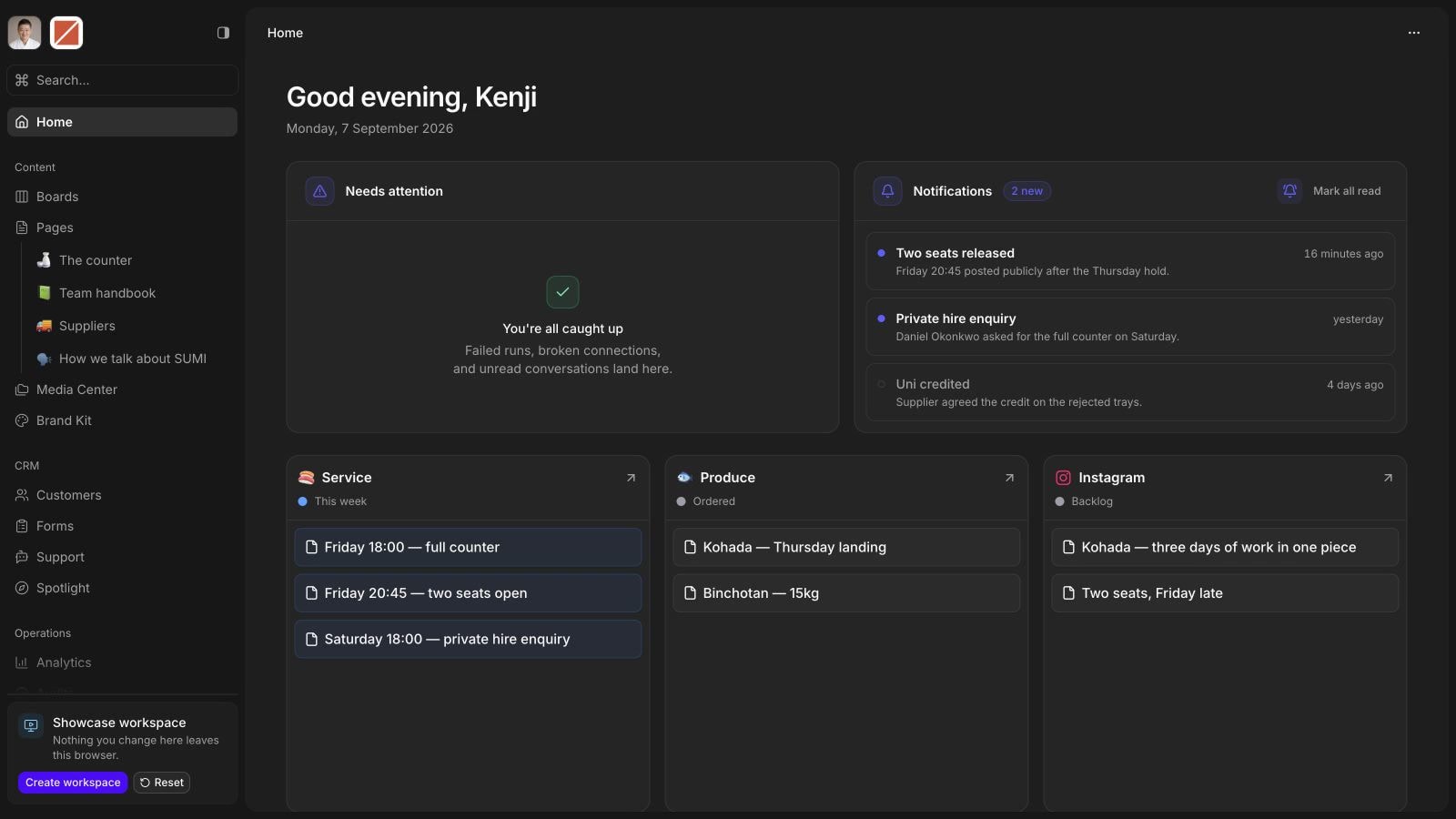
The real interface, running on a sample business in your browser. Click anything, or open it full screen.
A demo is your own SharpOS workspace, empty and free for 30 days: no card, no plan. On day 30 it pauses, and your data is kept if you subscribe later.
Every part of the work has a place.
11 parts of one workspace. Pick one and it opens below, live, on the same sample business.
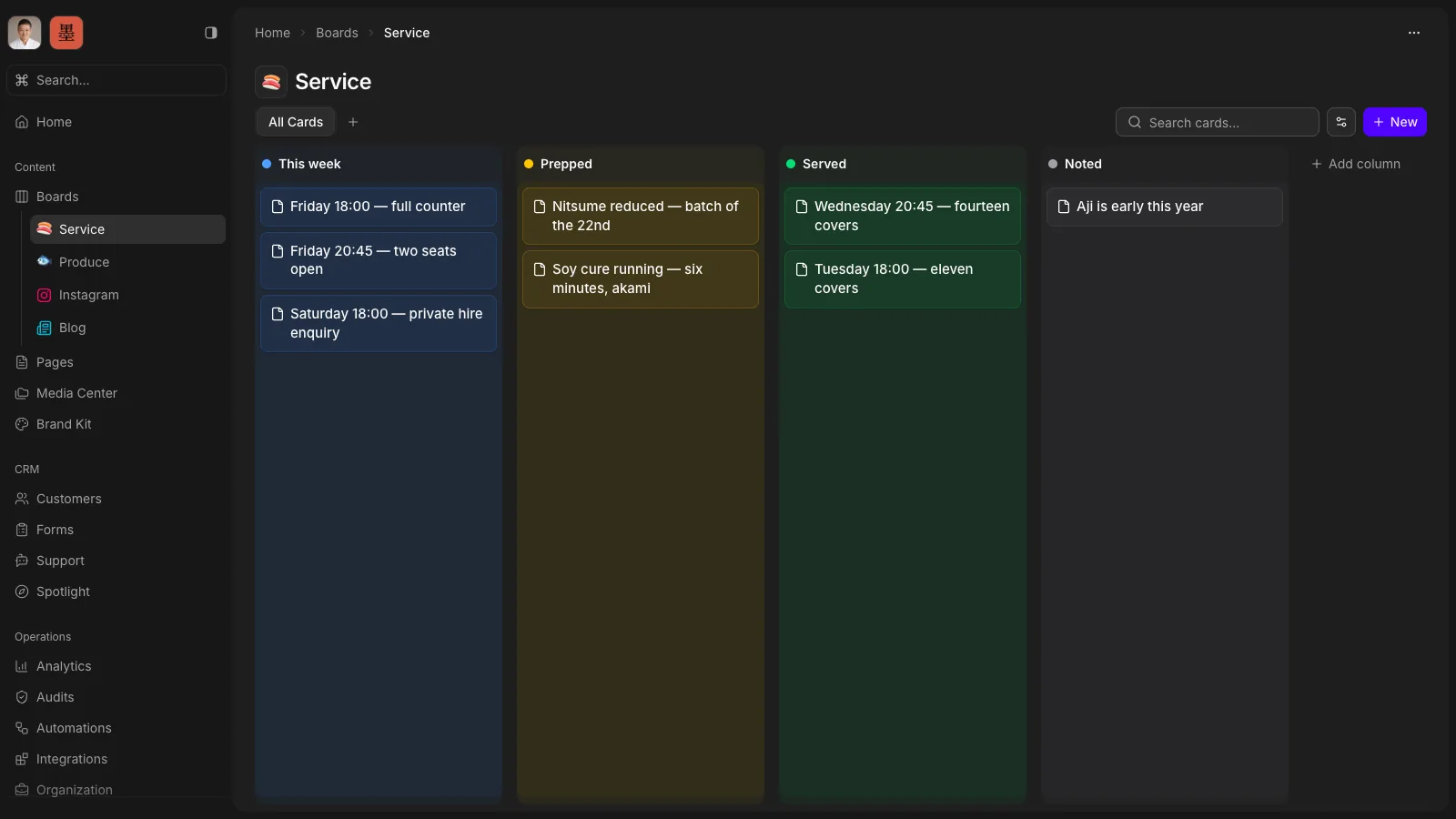
The week, on one board.
Queues, approvals, blockers and shipped work in one place instead of scattered across status calls. Read it before the call, not during it.
The stack you don’t pay for any more.
Most owners running a small marketing operation pay for a stack of single-purpose tools. For the work SharpHaw ships, SharpOS covers the layer on top of them. The systems you already depend on, like a CRM, stay where they are.
 Notion
 Confluence replaced by Pages
 Trello
 Asana replaced by Boards
 Salesforce
 HubSpot replaced by Customers
 Google Forms
 Typeform replaced by Forms
 Semrush
 Lighthouse replaced by Audits
 Google Drive
 Dropbox replaced by Media Center
 Figma
Figma Canva replaced by Studio
- A brand guidelines PDF replaced by Brand Kit
 Zapier
 n8n replaced by Automations
 Intercom
 Zendesk replaced by Support
 Linktree
 Bio.link replaced by Spotlight
 Google Calendar
 Google Sheets
 Cal.com
 Resend
 WhatsApp
 Facebook
 ElevenLabs
 OpenAI
 OpenRouter connected in Integrations
 Looker
 Google Analytics replaced by Analytics
- Asking for an update, then waiting on the reply replaced by Live work, all the time
Included with every plan.
No workspace fee, no per-seat pricing, no portal add-on bolted onto the engagement. It comes with the subscription because it is how the subscription works.
An agency that built its own software.
SharpOS isn’t a client portal added onto someone else’s project tool. Gabriel wrote it to run SharpHaw, and your workspace runs on the same system the work is done in.

Gabriel Espinheira
Founder · built SharpOS
A private workspace per business
Your workspace holds your business and nobody else’s, and every person in it has a role.
Open to your other tools
Every core action is available over a REST API and an MCP server, so your other systems, and the assistants you already use, can work with it too.
Improved in public
Every release is written up on the SharpOS changelog, newest first.
Read the changelog
Let’s make your digital work compound.
Choose a time on Gabriel’s calendar. We’ll go through where you are today, what’s slowing growth, and what’s worth doing first, whether or not we work together.
Gabriel Espinheira
Senior software engineer · English or Portuguese
A focused 30 minutes, not a sales pitch.